
A service request catalog with named approvals, built for Jira Service Management.
Publish real request forms in an afternoon. Route what needs approving to named people. File every request whose type calls for it as a Jira issue the instant it is raised — and give everyone on your site a place to raise and track one, with no signup and no second password.
No editions, nothing to unlock. Installs in one click from the Marketplace.
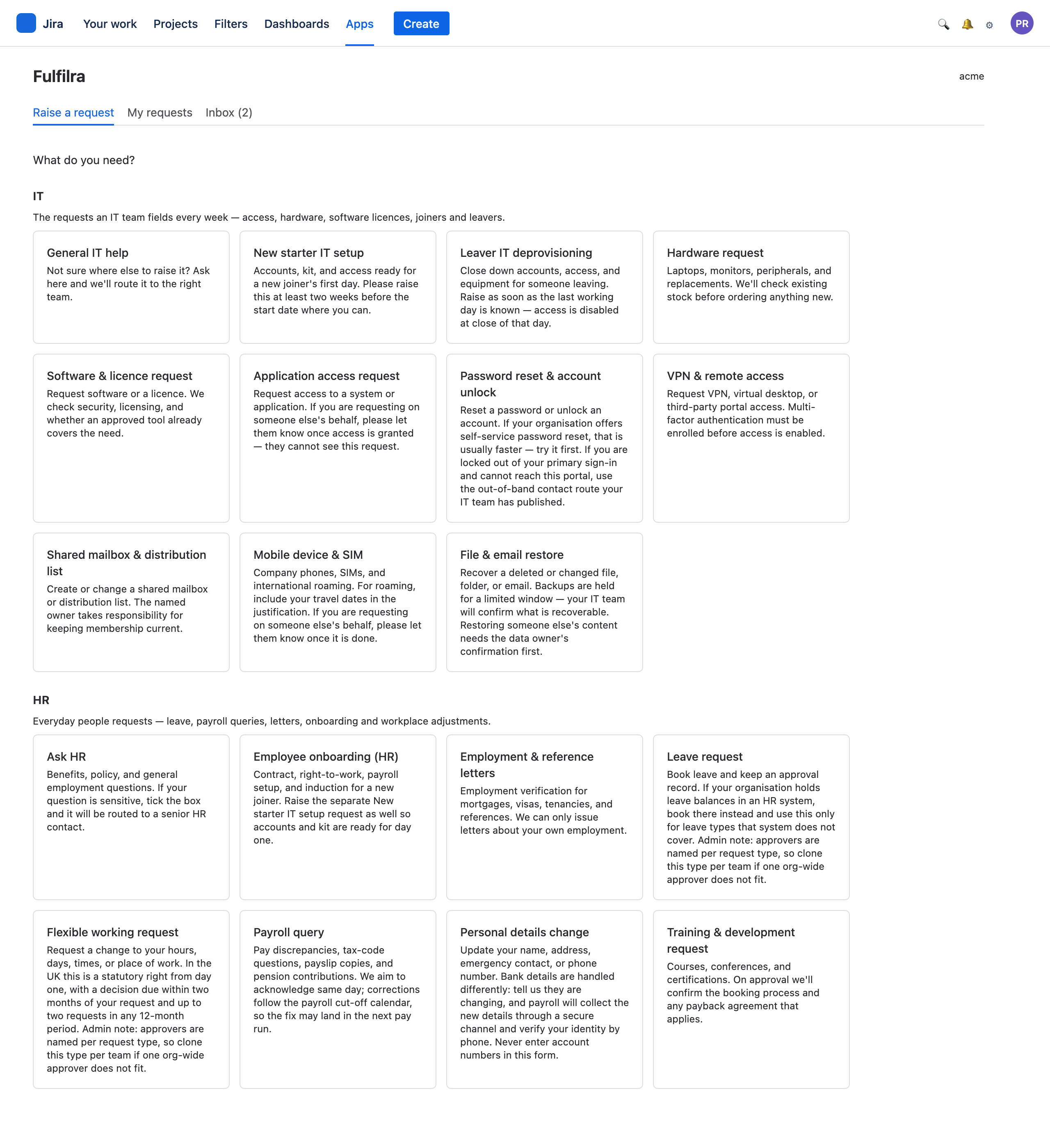
At a glance
20 templates
Two starter packs — IT and HR — with the forms already written.
3 approval steps
Sequential, each a named person. Nobody can decide for them.
Zero data egress
Your requests live in a database inside your own Atlassian tenancy.
No signup
A Jira licence is the account. No invitations, no provisioning.
Jira is excellent at work. It is awkward at asking.
Service desks end up with a request queue made of half-filled issues, spreadsheets for approvals, and a form builder nobody outside IT can use.
Ask the right questions
Every request type is a form of its own — typed fields, required answers, option lists, help text. An agent stops opening tickets that say "laptop broken" and nothing else.
Approvals that are actually enforced
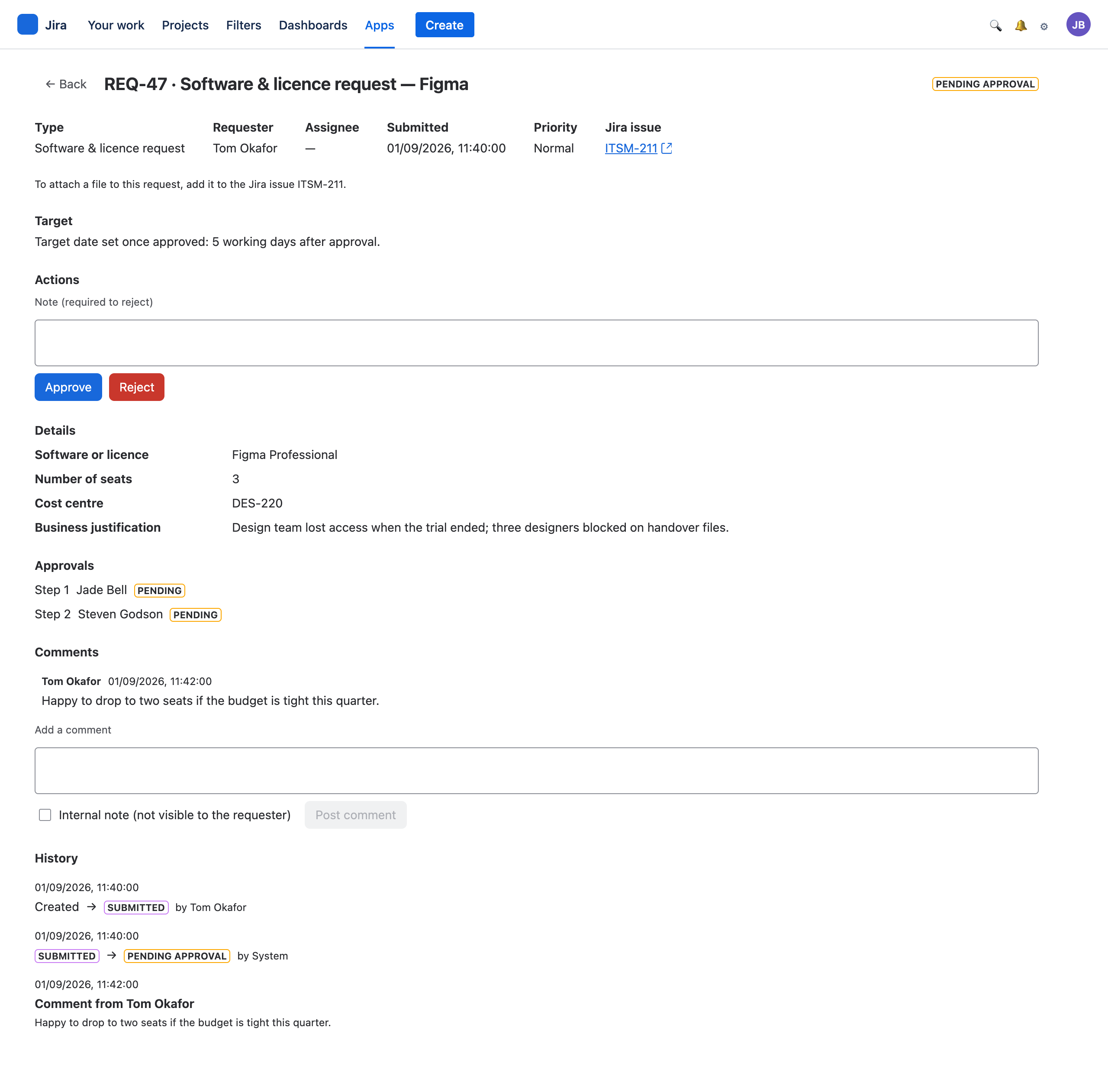
Up to three named approvers, decided in order. Nothing moves past a pending step — not an agent, not an administrator, not a transition on a Jira board.
Fulfilment stays in Jira
Each request files a Jira issue the moment it is submitted, and its Due date follows the request's target. Your team works its board; the requester sees plain progress and never has to learn Jira.
A named person, or it does not count.
An approval is somebody's decision, so Fulfilra names people rather than groups. A group renamed by an unrelated administrator would silently change who can approve your company's spending — and nothing would record that it had happened.
- Sequential. Step 2 cannot pre-empt step 1.
- Enforced. No route past a pending approval exists, for anyone.
- Explained. Rejecting requires a note, and the requester reads it.
- Recorded. Who decided what, when, kept with the request forever.
Your board moves it. The requester sees it.
Fulfilra creates the Jira issue when the request is submitted — in the same moment, not on a queue. Move that issue on your board and the request follows: In Progress starts work, Done resolves it.
Mapping is by Jira status category, so renaming a status on a board changes nothing. And the sync is deliberately one-way about the things that matter: Jira can never approve, reject, close or cancel a request. Those stay decisions a person makes.
What syncs, and what deliberately does not →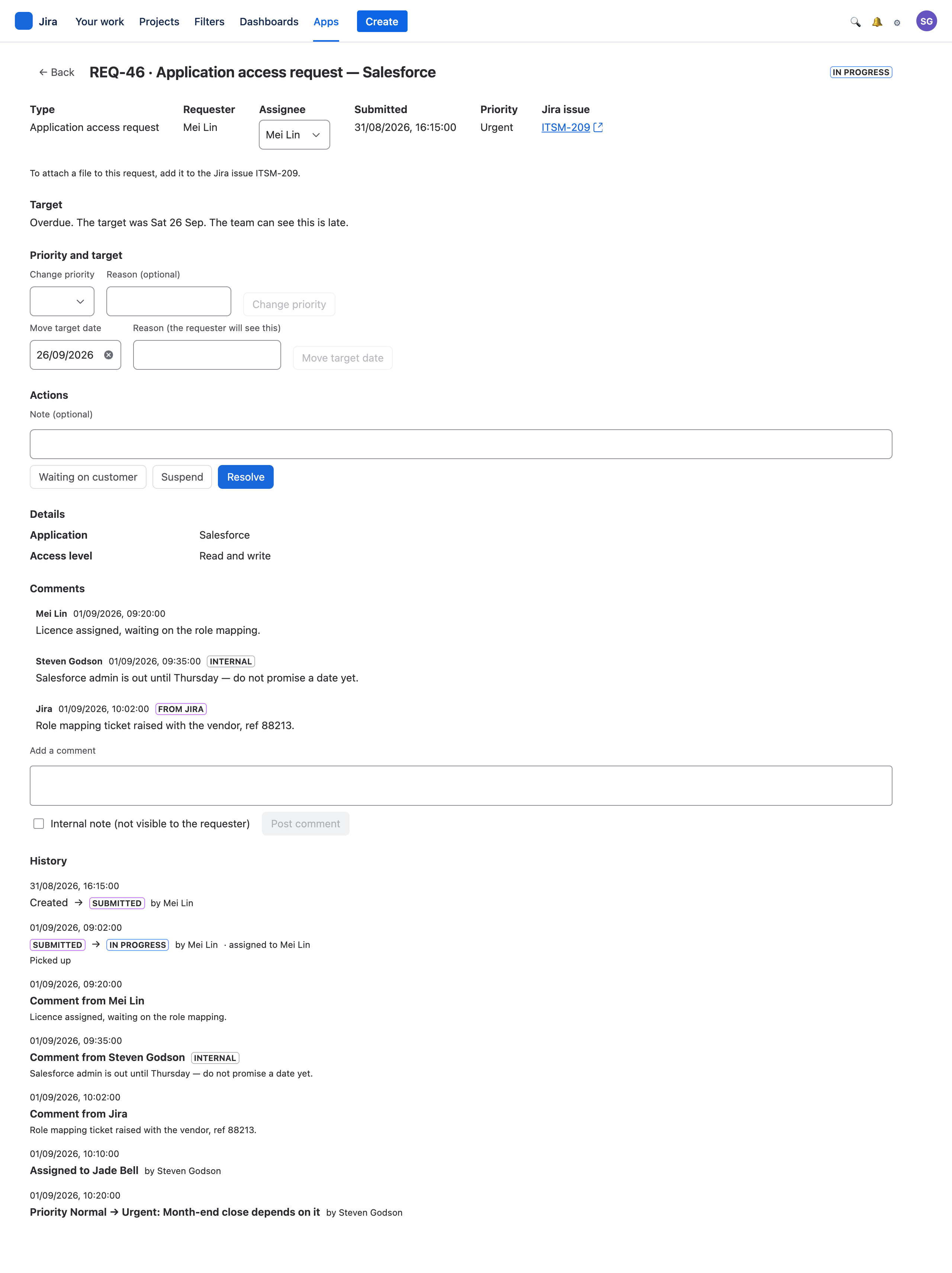
A working catalog before your coffee goes cold
Install from the Marketplace
One click. No server, no database to provision, nothing to configure first.
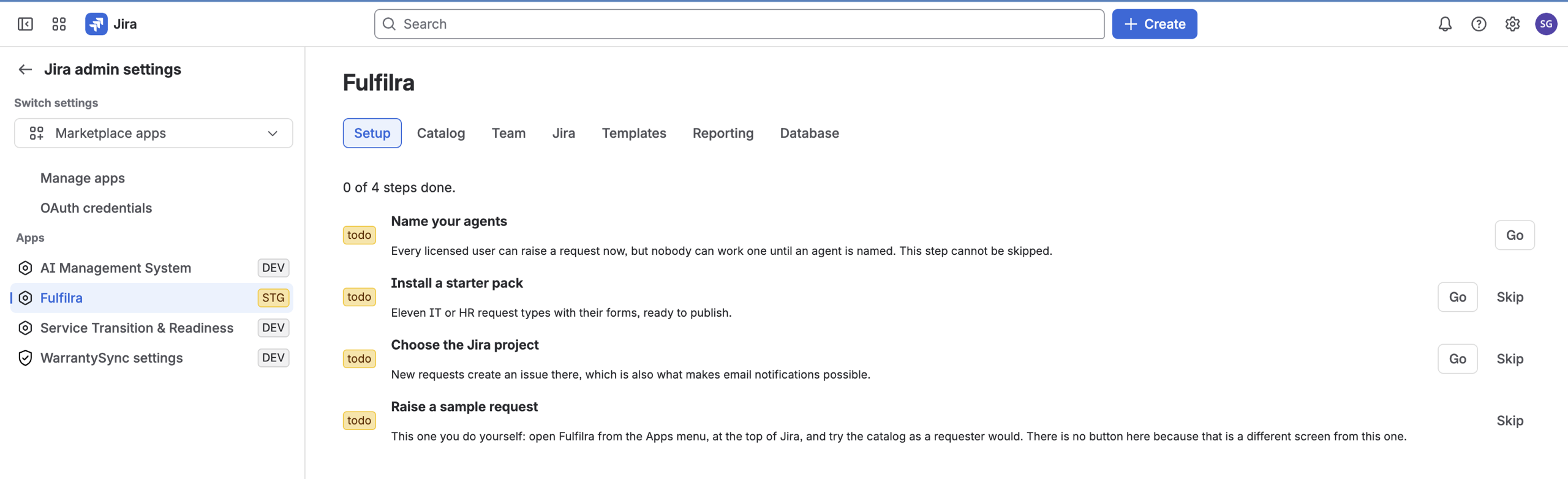
Name your agents
The one step Fulfilra will not let you skip — nobody can work a request until you do.
Install a starter pack
Eleven IT request types or nine HR ones, forms already written. Edit what does not fit.
Point it at a Jira project
Requests file their issues there. Your team keeps the board it already works.
We would rather tell you where the edges are.
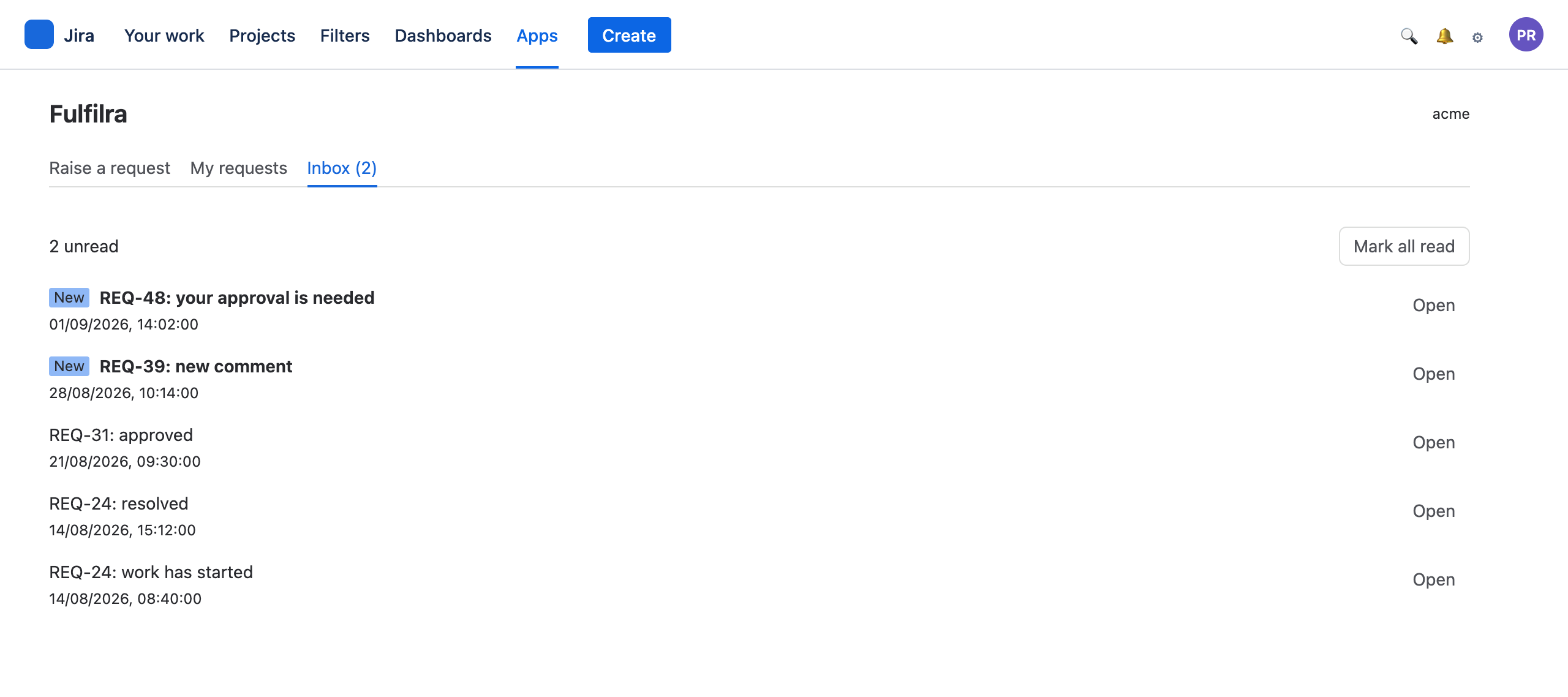
Fulfilra runs entirely inside Atlassian — which is what keeps your data in your tenancy, and also means it has no email of its own to send. So updates land in an in-app inbox, always, and Jira emails people about the linked issue on top of that.
A request type with no Jira issue can still reach people by email, through one shared notices issue an administrator points at a project — until they do, it notifies inside the app only, and the admin screen says so rather than leaving you to discover it when an approval sits unread over a weekend.
Where your data lives →And where the people asking already are.
Everything above needs a Jira licence. Most of a company has none — so Fulfilra adds a panel to your Jira Service Management portal: the request types you publish to customers, and on My requests, each customer's own requests with their status and the conversation.
You choose what they see, one type at a time; every type starts staff only. Publish nothing and no Fulfilra furniture is drawn at all — not an empty box. Sites with no portal lose nothing: the Apps menu is always there.
How it looks to a customer →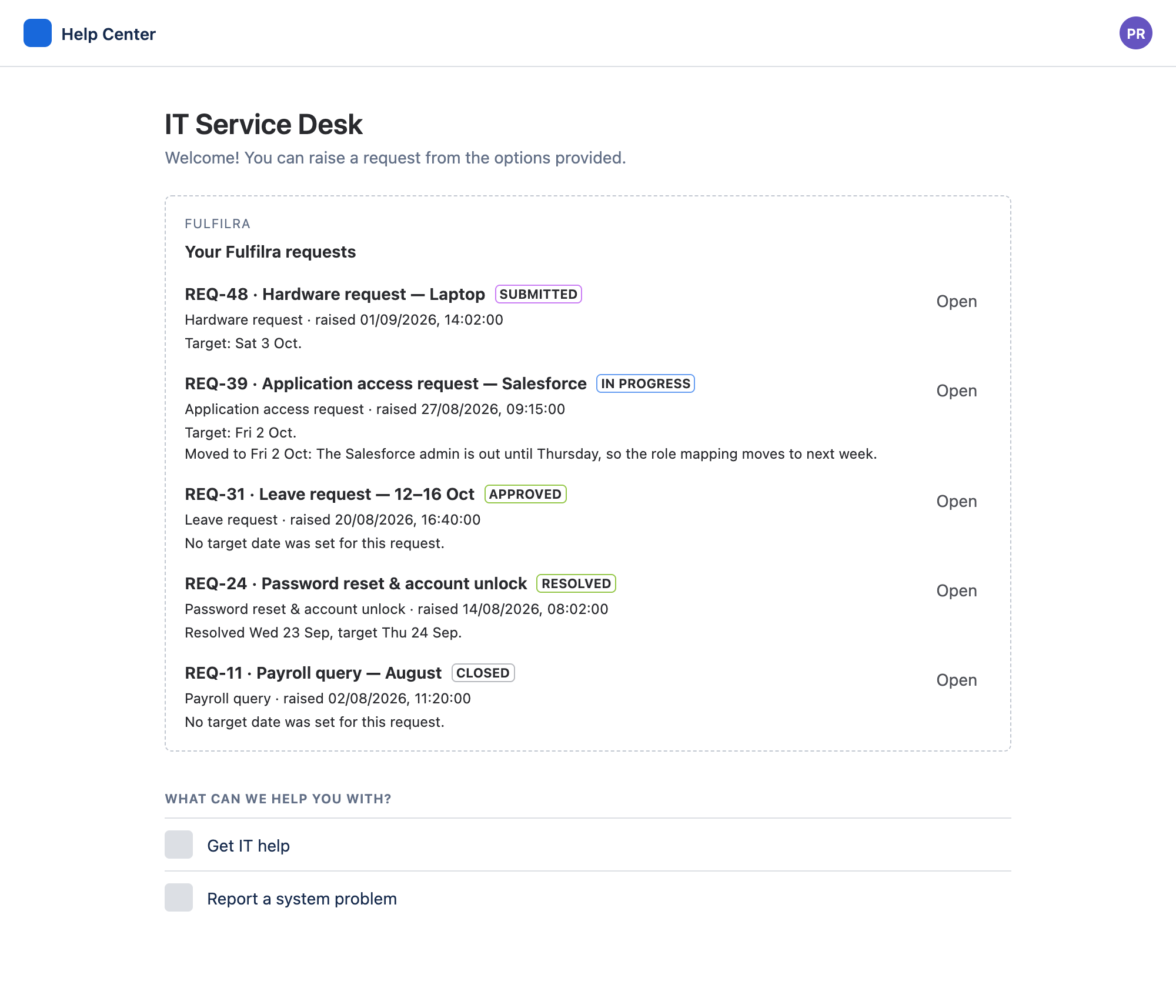
Install it, and raise a request five minutes later
No editions and nothing to unlock: every installation has every feature. Everyone on your Jira site can raise a request the moment it is installed.